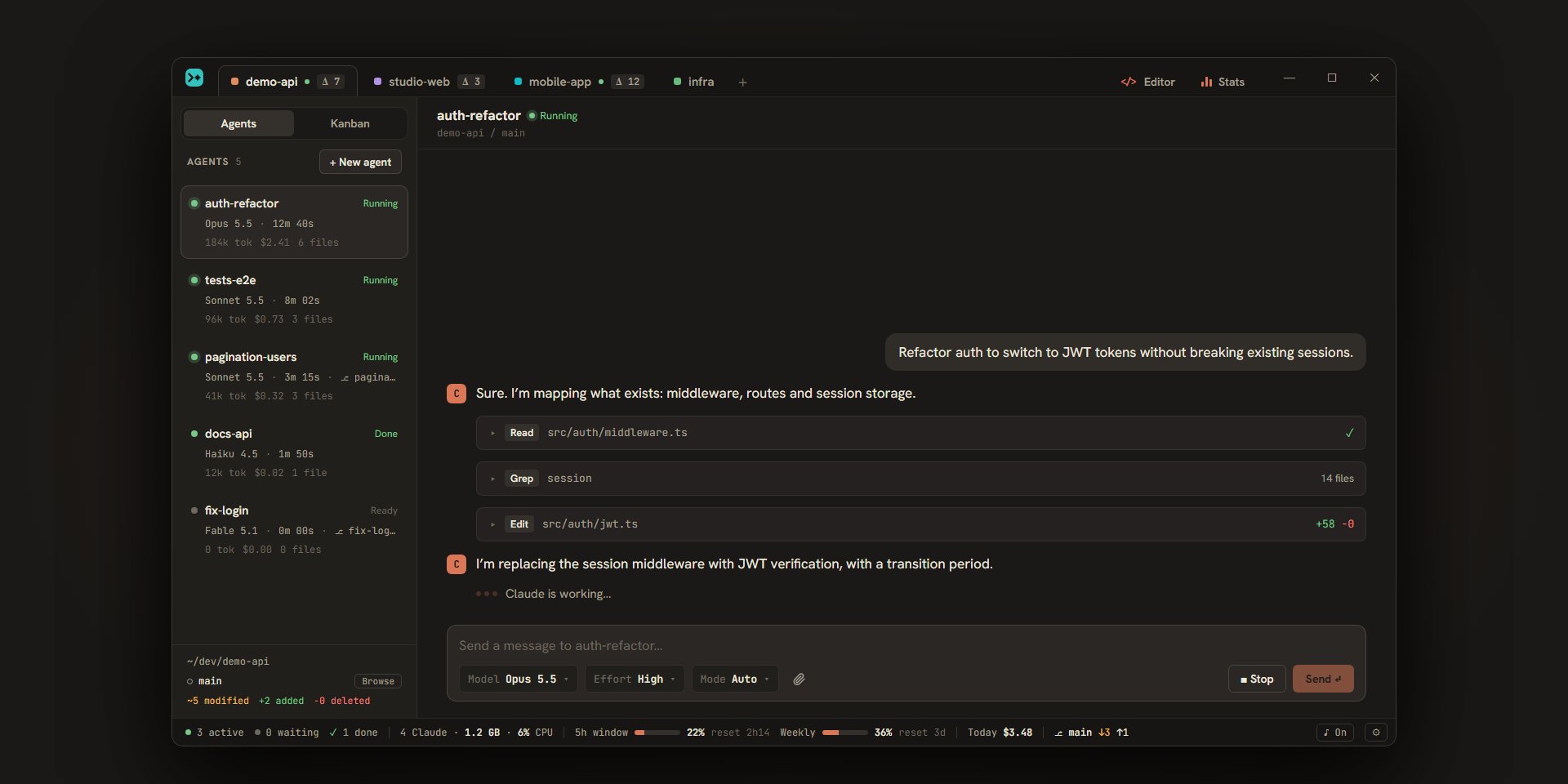
refactor-authOpus · 12m 48sRunning
Editsrc/auth/jwt.ts+58 −0
186.2k tok · $2.42All your Claude Code sessions in a single window: as many agents as you want, in parallel, and a signal as soon as one of them needs you.
A question, a permission request, a finished task: the agent says so, and you answer without hunting for the terminal it is waiting in. Try it: answer e2e-tests.
Run the whole e2e suite (38 tests)?
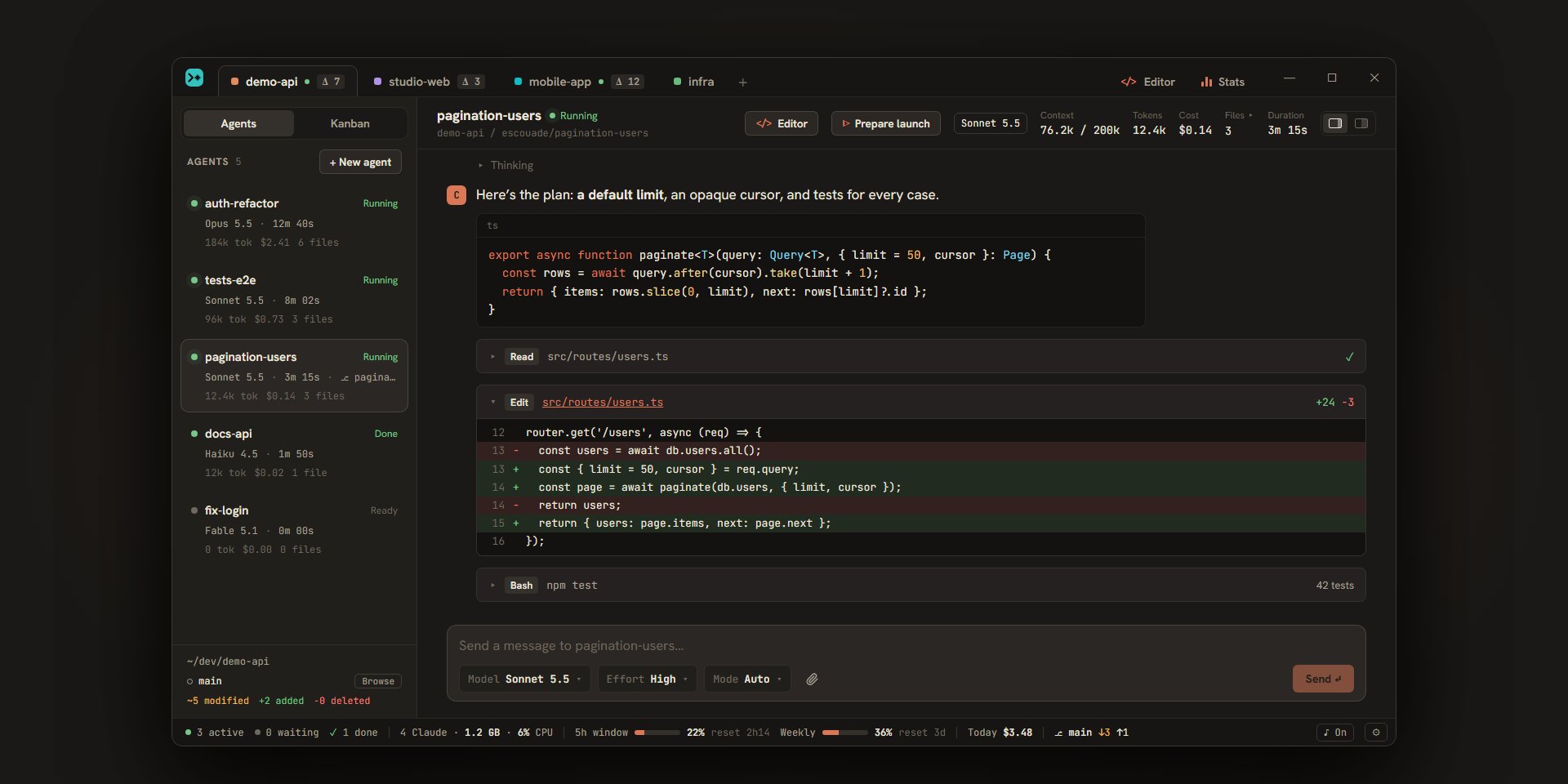
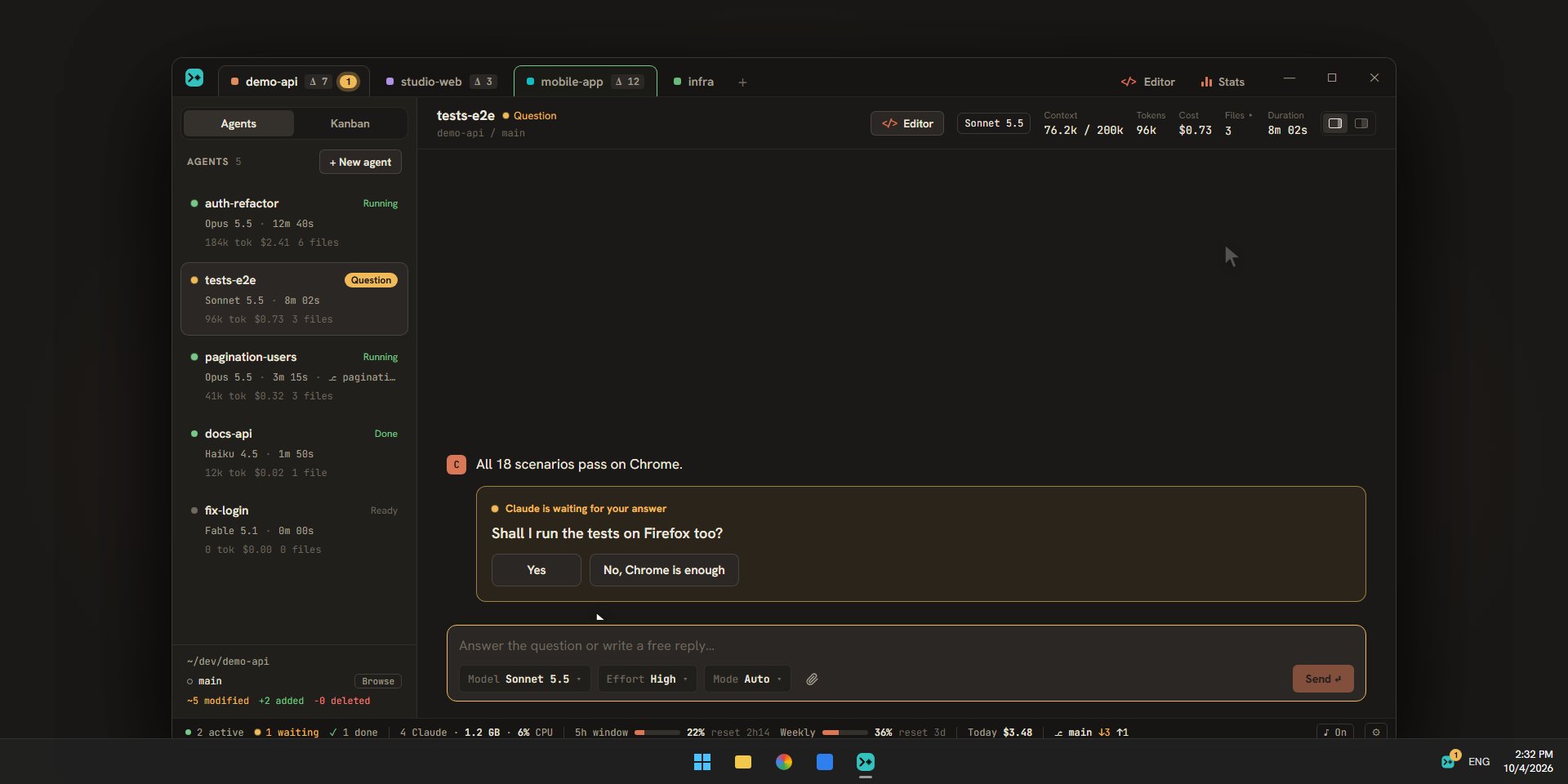
One tab per project, and in each as many Claude Code agents as you like: each with its own conversation, model, effort and, if you want, its own git worktree. Status, tokens, cost and files touched, live.
Markdown, highlighted code, compact tool calls that unfold into a diff. Claude’s questions and permission requests come as cards you answer with a click or from the keyboard. Ctrl+K finds a message across all your agents’ conversations.
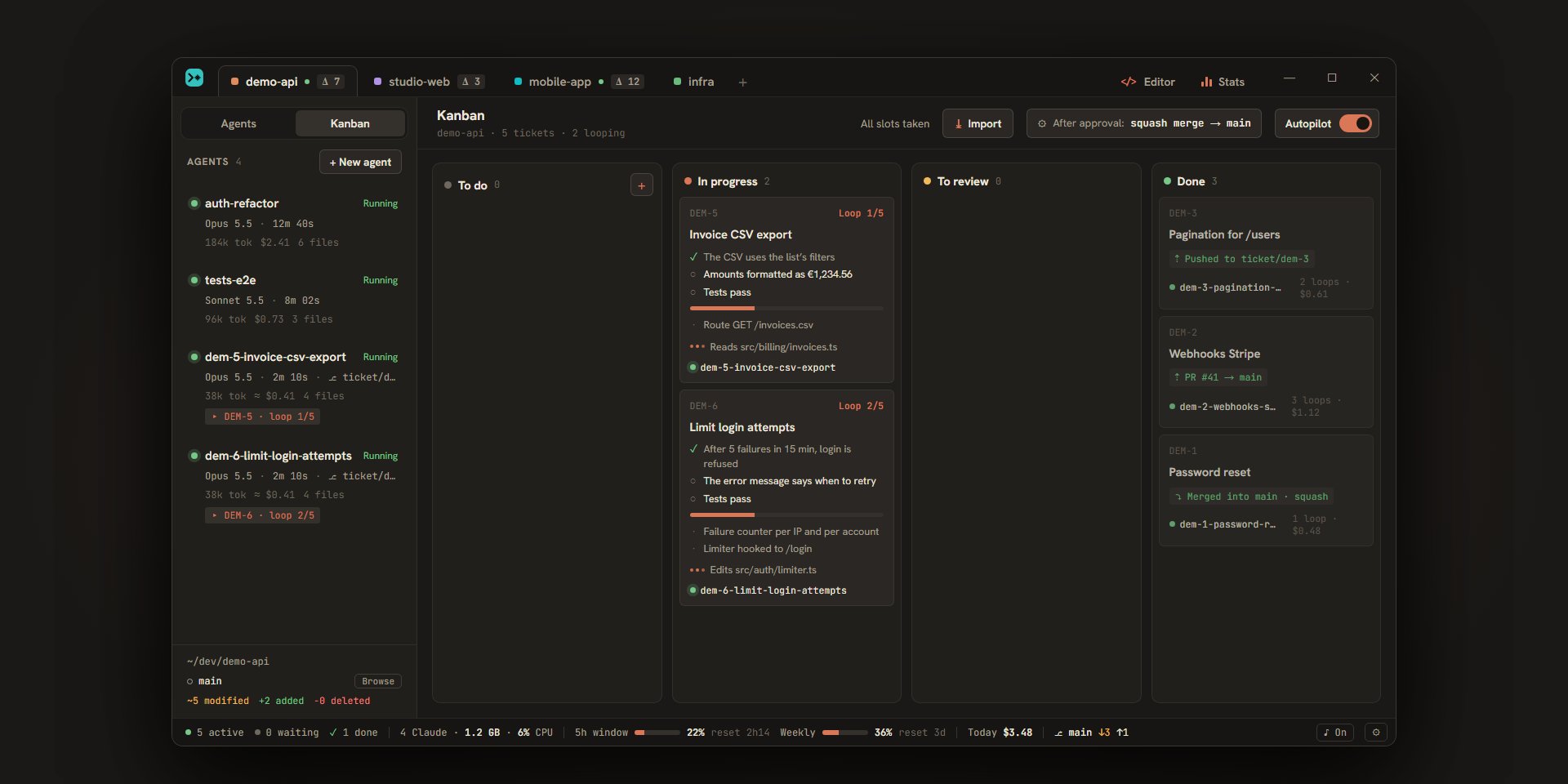
Each project’s Kanban: write a ticket and its acceptance criteria. Autopilot on, agents pick them up, each in its own worktree, and loop until every criterion is met.
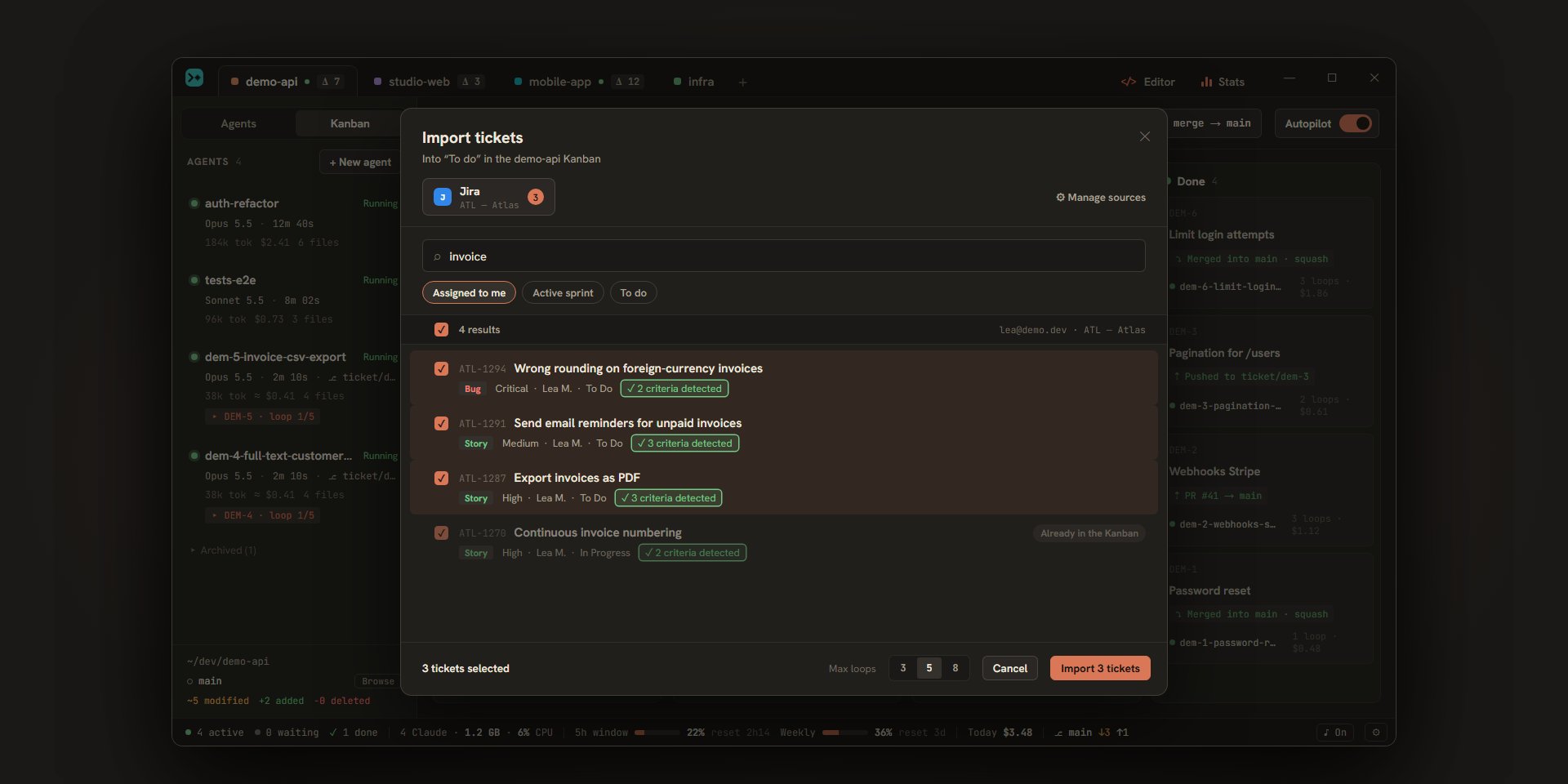
Link a source to your project, “Import”, tick: the tickets arrive with their acceptance criteria. Escouade keeps their status up to date and comments on the original ticket when it is ready for review, then done.
A question, a finished task: the tab and the card blink, a chime sounds, a system notification says what is asked. Ctrl+J jumps to the next agent that is waiting, and closing the window stops nothing.
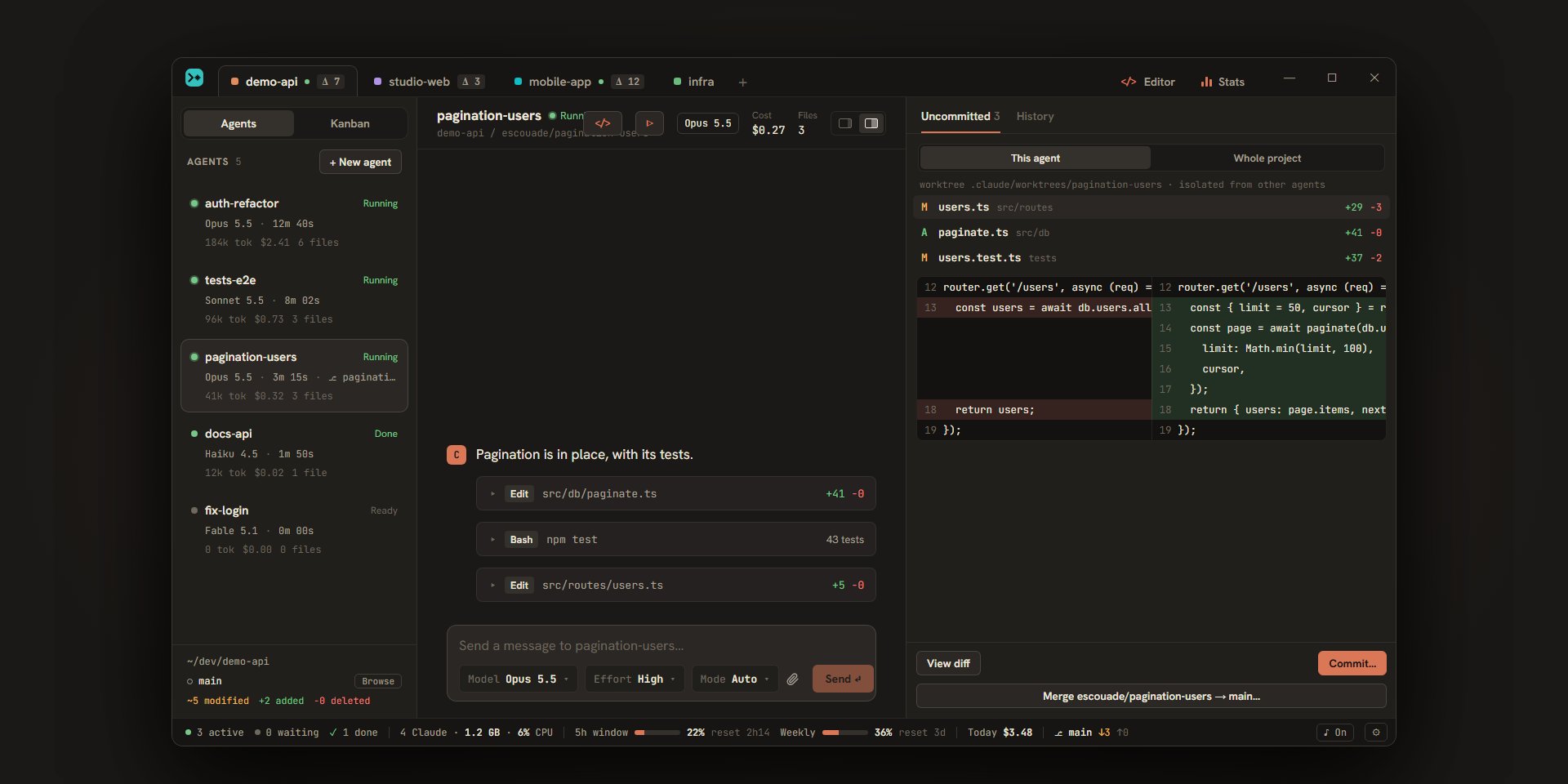
Uncommitted files per agent, side-by-side diffs, the repository’s git graph. A commit written by the agent or a proposed message you review, then a merge or squash of a worktree into its branch.
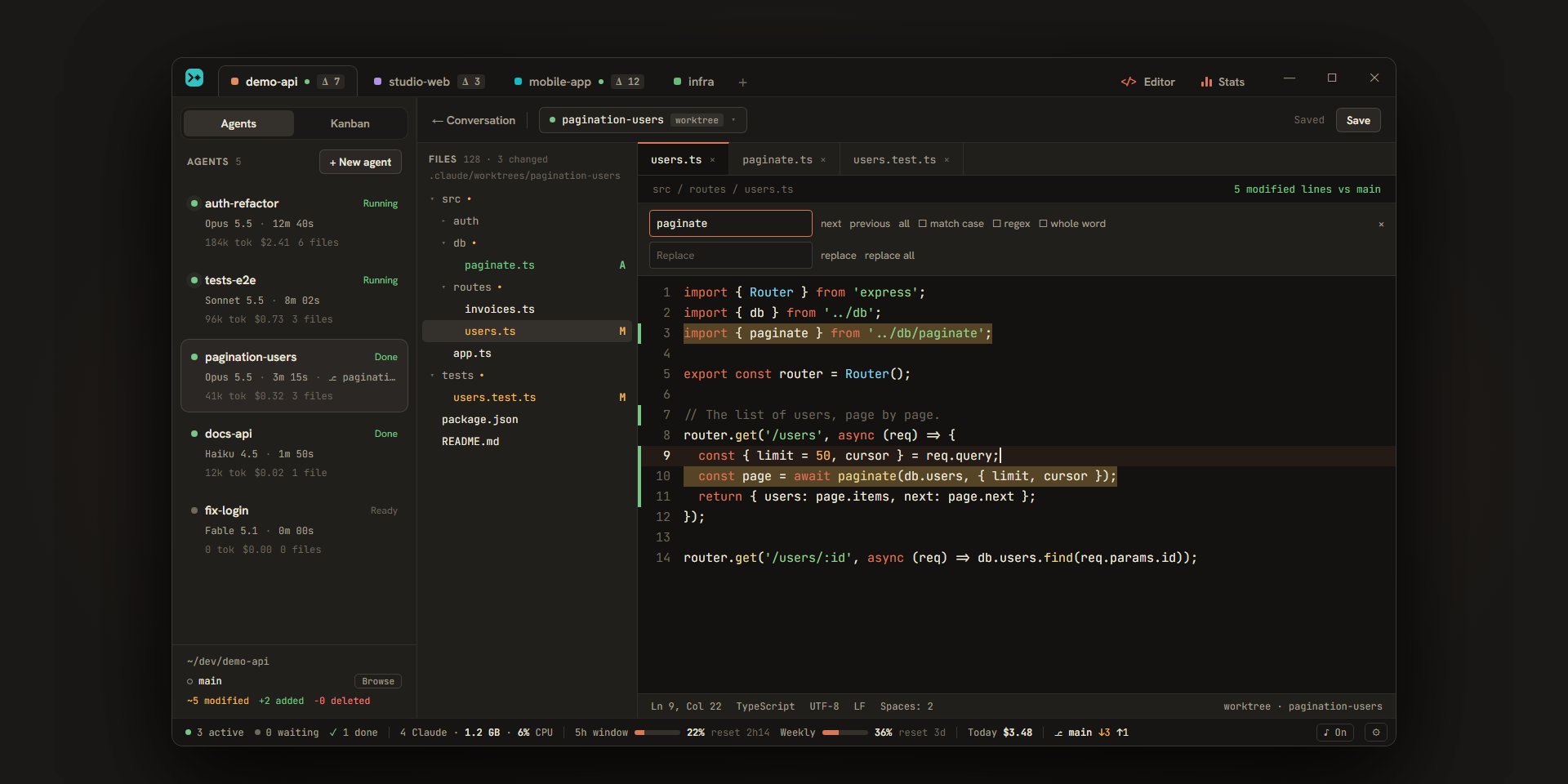
File tree, tabs, syntax highlighting and changed lines in the gutter. Ctrl+click goes to a definition without a language server, Ctrl+P opens a file by name, Ctrl+Shift+F searches every file.
A ticket moves to “To review”: “Test” shows you the agent’s test plan, starts its servers on their reserved ports and opens your browser on the feature.
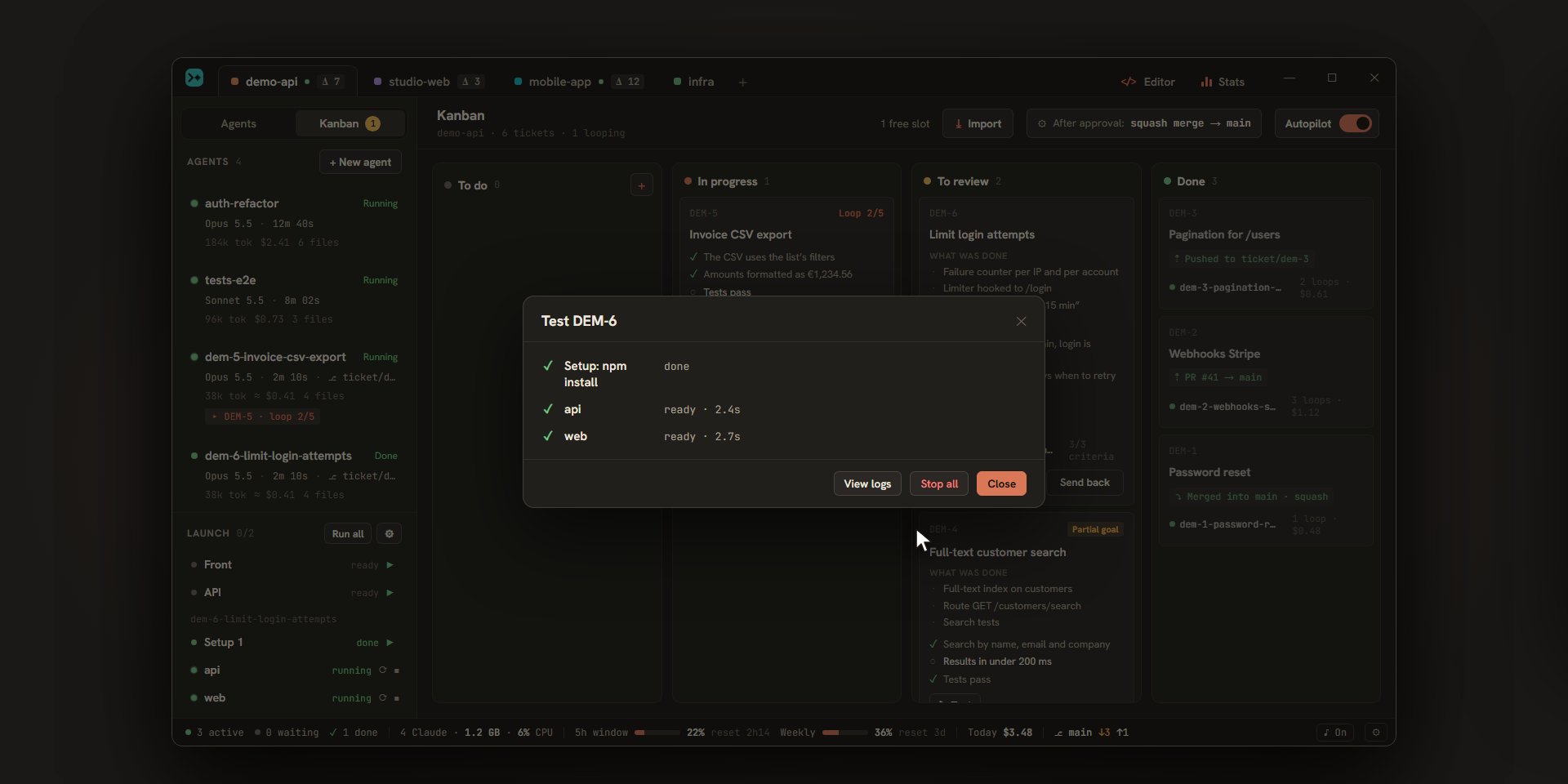
The commands that run your project (front end, API, worker…), written by you or suggested by Claude, each in its own terminal with its live status. A crash shows right away, with its exit code.
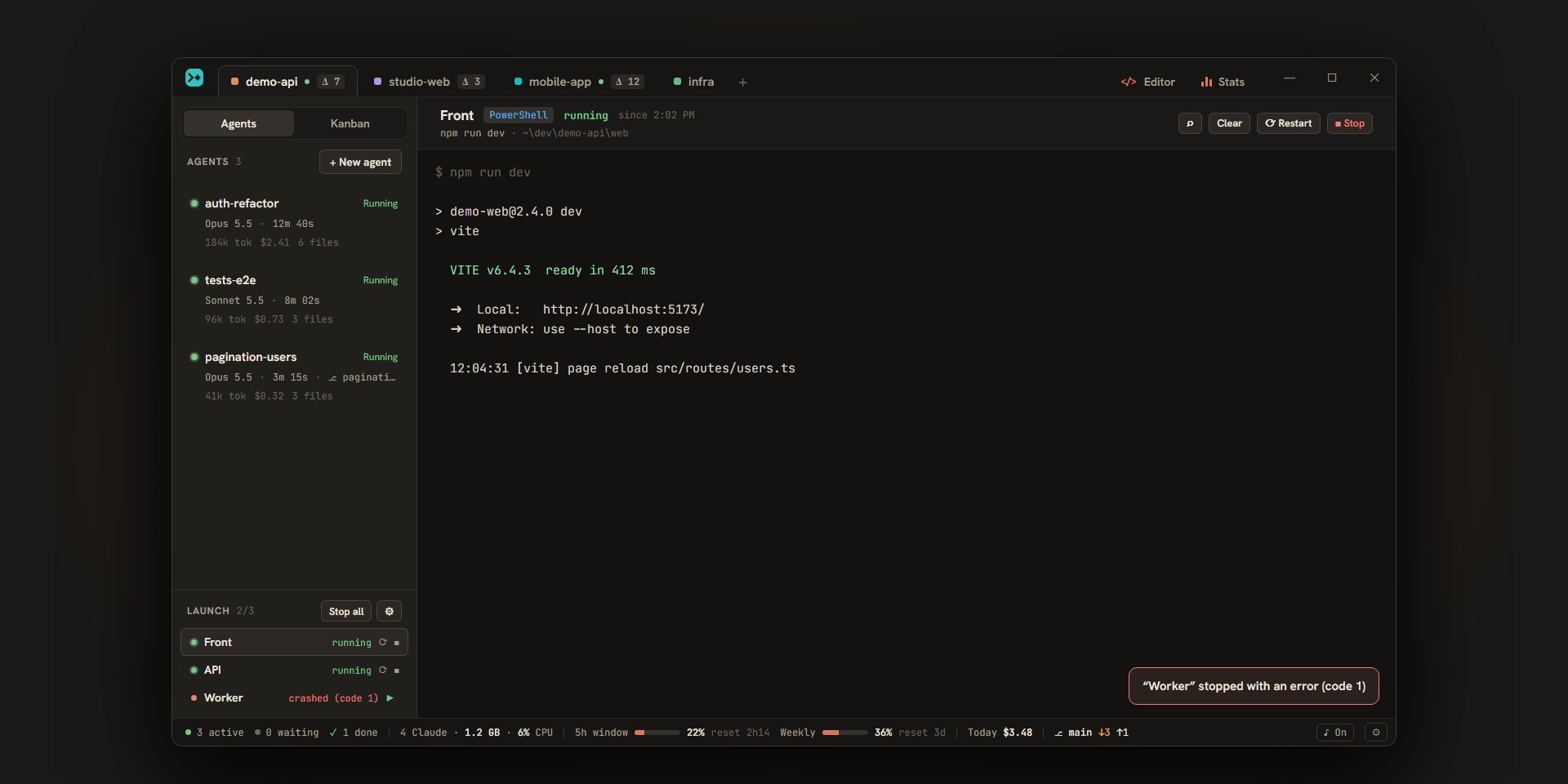
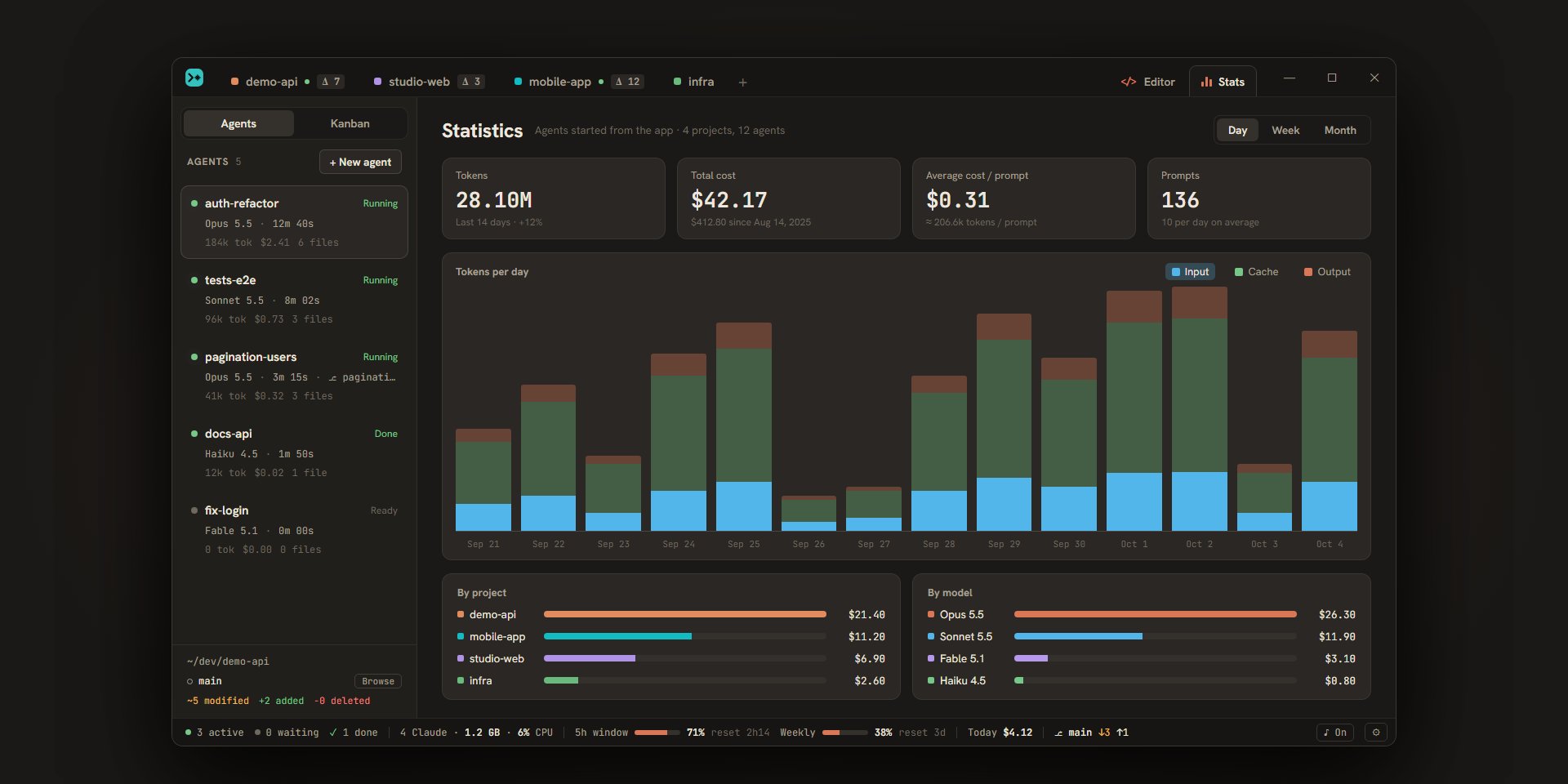
The status bar tracks your 5-hour quota, your weekly quota and the day’s cost, which climbs while Claude works. The breakdown by project, model, agent and ticket is in the statistics.
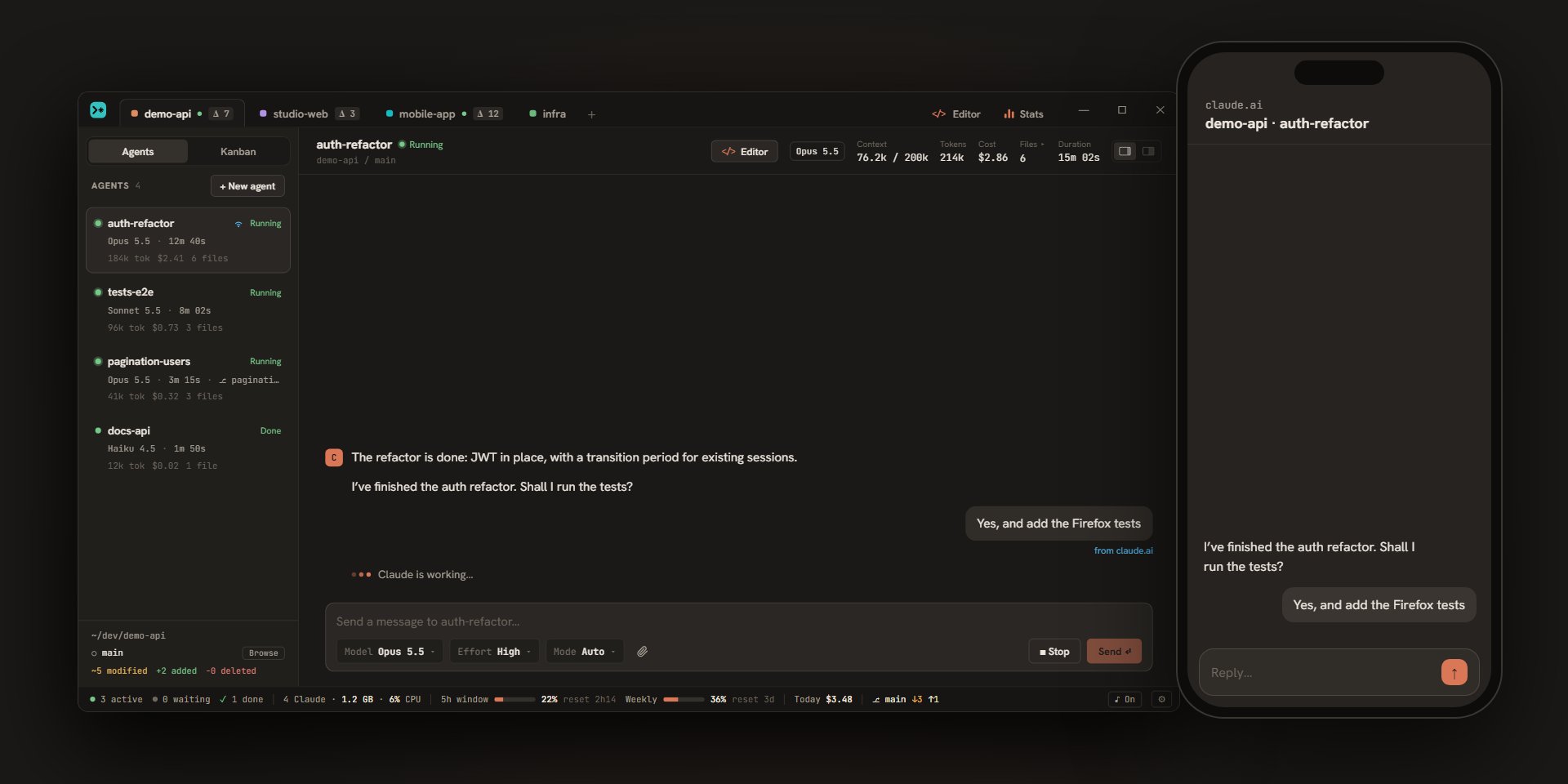
Turn on remote control for an agent: its session opens on claude.ai and in the Claude mobile app, and what you send from there also shows up in Escouade.
PowerShell, Git Bash and WSL, with your shell’s autocompletion.
An agent stopped by its usage limit resumes on its own as soon as your quota is back.
Window closed, Escouade stays in the notification area and resumes each session on restart.
HTTP(S) proxy for Claude, quotas, updates, integrations and, if you want, terminals.
Signed, downloaded in the background, installed without a window when no agent is working.
Ctrl+1…9 projects, Ctrl+N an agent, Ctrl+J the one that is waiting, Ctrl+K search, Esc interrupt.
Escouade drives the Claude Code on your machine: install it and sign in once, with your Claude subscription or an API key.
Claude Code documentationThe .exe for Windows 10 or 11 (with Git for Windows), the .dmg for macOS 11 or later, on an Apple Silicon or Intel Mac.
Latest releasePick a folder, create an agent and write your first request. The next ones come with Ctrl+N (⌘N on Mac).
Version 1.8 · in the works
Escouade will soon drive more than Claude Code. No date promised: the work is planned in detail on GitHub.
Each agent runs on the engine you choose: Claude Code, OpenAI’s Codex, GitHub Copilot CLI or OpenCode. Same conversation, same cards, same Kanban, same worktrees.
A default engine for each project, another one for an agent or a ticket, and the autopilot follows.
Codex’s quota windows and Copilot’s monthly credits in the status bar, and stats per engine.
Yes, and open source, under the MIT license. Escouade uses your own Claude Code: your Claude subscription or your API key, with no middleman.
Nowhere: projects, conversations and statistics stay on your machine, in ~/.escouade/. The network is only used by Claude Code itself, to read your quotas, for updates and, if you connect them, for Jira, Trello or GitHub, where an imported ticket gets its status and comments.
They stay on your machine, in the system keychain (Windows Credential Manager, macOS Keychain), and are only used for calls to those services. For GitHub, Escouade can also reuse the token from gh.
On Mac, yes: macOS 11 or later, Apple Silicon and Intel alike. Linux isn’t supported yet.
You choose how many agents work in parallel (from 1 to 6), how many loops each ticket gets at most, and at what percentage of your quotas autopilot pauses. Nothing starts while an agent is waiting for its usage limit to end, and a ticket that reaches its last loop moves to “To review” with “Partial goal”.
No. The project files that git ignores (.env* by default) are copied into each agent’s worktree so the app can run there; when you approve a ticket, Escouade refuses to commit, push or merge them.
The app checks for a new version every five minutes and downloads it in the background. It installs without an installer window, at the restart you choose, or on its own when no agent is working and everything is saved, after warning you 30 seconds ahead.
No. Escouade is an independent project, not affiliated with Anthropic. Claude and Claude Code are trademarks of Anthropic.